Programmatically Use Command Prompt with System Exec.vi
 BetaCommunityCo
 Example_Scrubber_Samah
03-24-2017
03:25 AM
Example_Scrubber_Samah
03-24-2017
03:25 AM
- Subscribe to RSS Feed
- Mark as New
- Mark as Read
- Bookmark
- Subscribe
- Printer Friendly Page
- Report to a Moderator
Products and Environment
This section reflects the products and operating system used to create the example.To download NI software, including the products shown below, visit ni.com/downloads.
- LabVIEW
Software
Code and Documents
Attachment
Overview
This simple example shows the use of System Exec.vi to invoke the Volume Control of Win2000/ WinXP/Win 7 from within the LabVIEW Development environment.
Description
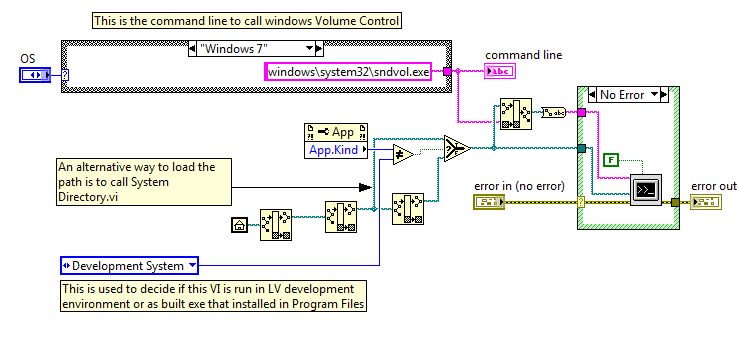
The System Exec VI can be used to launch other Windows-based applications by way of the system level command line. In this case, the code launches the Volume Control executable included in the Windows operating system.
Depending on what operating system is being used (Windows 2000, Windows XP or Windows 7), the path to the executable, sndvol32.exe, is slightly different. For this reason an enum and a case structure allow the user to switch between different operating systems and their corresponding paths. In Windows 7, the name of the executable is slightly altered: SndVol.exe. The code is modified to work with Windows 7.
Requirements
Windows 2000/XP/7
LabVIEW 2012 or later
Steps to Implement or Execute Code
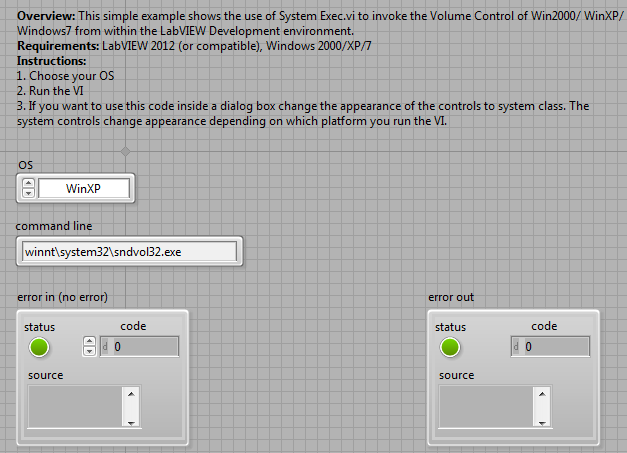
- Open "Open Volume Control_System Exec_LV2012_NI Verified" VI and select your operating system (Win2000, WinXP or 7) in the drop-down menu on the front panel.
- Press run.
- Windows Volume Control should pop up and allow you to adjust the volume on your system.
Additional Information or References
Block Diagram

Front Panel

**This document has been updated to meet the current required format for the NI Code Exchange.**
Example code from the Example Code Exchange in the NI Community is licensed with the MIT license.

- Mark as Read
- Mark as New
- Bookmark
- Permalink
- Report to a Moderator
Fixed hard-coded path in app
Hint for you: Windows XP not always installed into Windows directory. For example, on my PC WinXP installed in WINNT directory. As result this example not working properly. The best way is to get path to System32 directory by Win API functions...
- Mark as Read
- Mark as New
- Bookmark
- Permalink
- Report to a Moderator
Meant for demo
Hi Dmitriev, thanks for your comment. I agree that it may not work properly in your case. However, this VI is meant for demonstrating the use of System Exec.vi, therefore, you may modify the VI to suit your application. Cheers!
- Mark as Read
- Mark as New
- Bookmark
- Permalink
- Report to a Moderator
System Exec Vi in labview 6.1
I want to now if there is system Exec.vi in labview proffesional 6.1 ?
- Mark as Read
- Mark as New
- Bookmark
- Permalink
- Report to a Moderator
thanks!
thanks, this is really helpful to me.\n\r\n \nThis conversation continues at <a href=\"http://demo2.kalivo.com/convs/show/24\">LabVIEW Zone</a>\r\n \nsachapman\n<a href=\"http://demo2.kalivo.com/account/profile/7\">View My Profile</a>


- Mark as Read
- Mark as New
- Bookmark
- Permalink
- Report to a Moderator
Hi ALL,
I am really new to LabVIEW, but seeing all your comments, it looks really interested.
I want to remotely access a software called GADD(http://multispectroscopy.com/mixedindex.shtml) which is widely used in all of my Laboratory Workstations. I am really impressed by Web Publishing Tool of LabVIEW 2010 as it only provide limited access to Clint unlike the feature in windows called "Remote Desktop Connection" and also software package like "Team Viewer" etc.. for remote control, desktop sharing, and file transfer between computers. We are using "Remote Desktop Connection" but it gives access to all the other Documents too. Also we cannot write VI's for all the experiments currently running in my lab as its highly tedious task to do.
Some one told me of using System Exec in this case as GADD s/w uses commend Script on notepad. I am not familiar with System Exec,please help to make a VI for this or suggest me something to solve this problem in some easy way.
Thank you in Advance.


- Mark as Read
- Mark as New
- Bookmark
- Permalink
- Report to a Moderator
Hello, all,
I need an On Screen Keyboard for a Win7 touch screen computer. This is not Windows embedded. It is a 'full up' Windows 7 Enterprise computer that happens to have a touch screen as it's HMI. I would like to use the Windows osk.exe command to bring up the native keyboard. The command will not work on my computer. I keep getting the following:
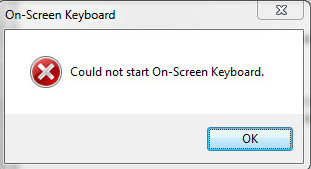
I can get to the command line and type in osk.exe and everything works fine. If I send the command theough System Exec.VI I get the above error. If I go into the 'Ease of Accessability' options and check the 'Use on screen keyboard' I can call up the keyboard using osk.exe through System exec.vi, but if it is closed I cannot get it back (above error). NI has been unable to reproduce this error (System exec.vi pulls up the OSK fine for them). I am unable to look into the 'guts' of System exe.vi as NI has it password locked.
I am an administrator on this machine, but it is a corporate imaged computer. It has been theorized that some corporate 'gruop' setting may be causing the problem.
Any assistance GREATLY appreciated.
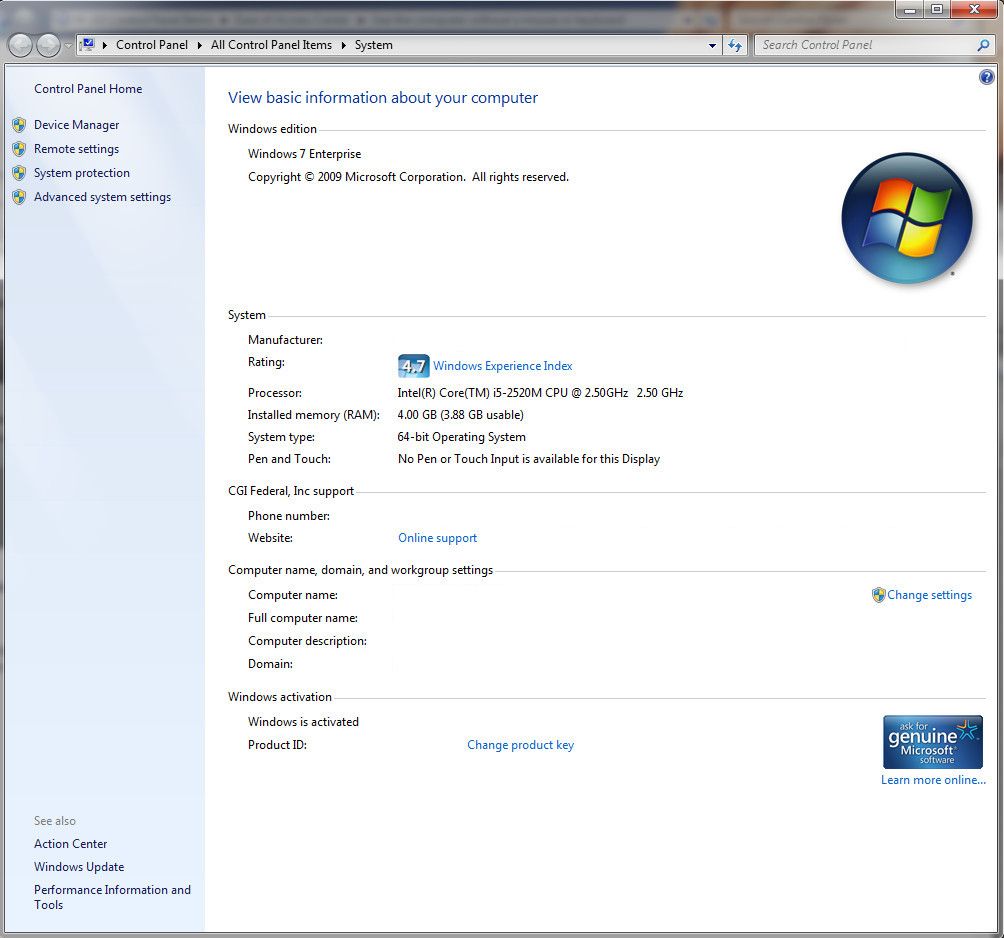
Here's my system info